|
|
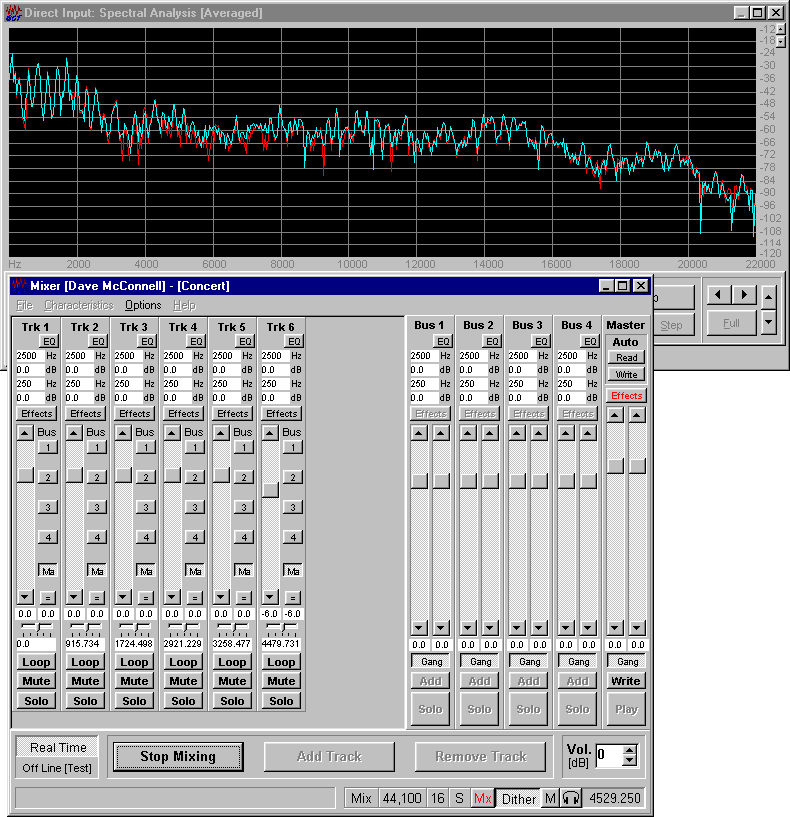
To view the Spectral Composition of the Mix whilst your working it in real time
- Start the Audio Editor
- With the Sound System Mixer; [File|Sound System Mixer] set the Recording Input to WAVE - the sound card output
- With the Recorder Setup; [File|Recorder Setup] set the Sample Rate, Resolution, and Channels
Unregistered users are restricted to 8 bit resolution for the Direct Input Tools - Start the Direct Input Spectral Analysis Tool; [File|Direct Input Tools|Spectral Analysis Tools] or [Ctrl+D]
The Audio Editor is now configured and monitoring the sound card's output - With the Mixer you can start Mixing, applying the tools and effects
AudioSuite